
Receipt Types – Choose the Right Receipt Format for Your Business
Create customised receipts for 11 different categories, including retail, grocery, restaurant, rent, hotel, and other common payment needs.
Professional Receipt Generator
Receipt Preview
LiveReceipt Template – Pick a Ready-Made Format and Fill In Your Details
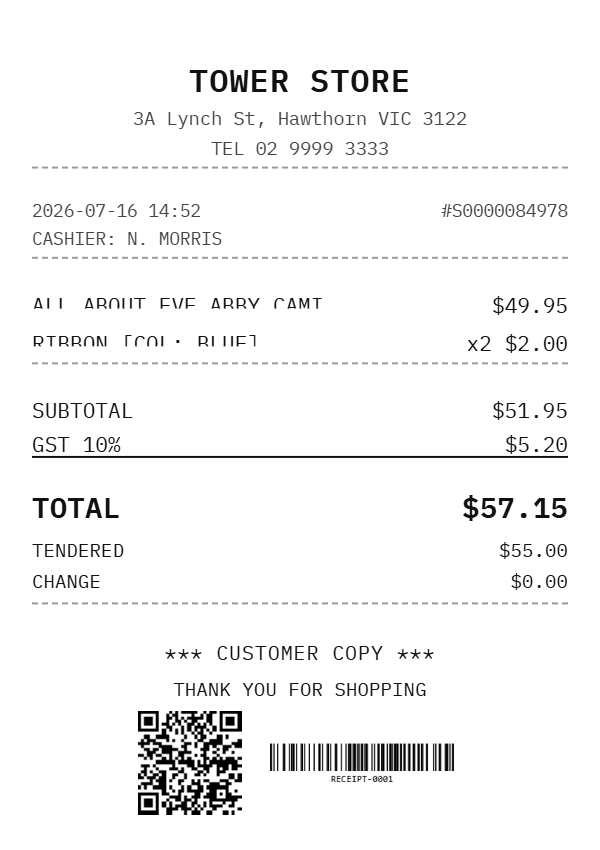
Skip the Blank Page — Start From a Template
Building a receipt from scratch means guessing which fields matter and formatting everything by hand. A receipt template solves that by giving you the right layout already in place, so you just fill in the amount, date, and party details. If you’d rather build one from the ground up field by field, our receipt generator handles that too — but for most people, starting from a template made for their exact transaction is faster and harder to get wrong.
Templates Available by Category
Each of these has its own dedicated tool with the full field set for that transaction. Here’s the quick version:
- Rent Receipt – For monthly rent payments between landlord and tenant.
- Retail Receipt – Itemized products, quantities, and tax for store purchases.
- Cash Receipt – A simple record for any payment made in physical cash.
- Hotel Receipt – Room charges and stay dates for guest folios.
- Medical Receipt – Treatment, provider, and cost details for insurance claims.
- Money Receipt – A general acknowledgment that a sum was paid.
- Restaurant Receipt – Food, drink, tax, and tip for dine-in or takeout.
- Grocery Receipt – Multiple line items with running subtotal and tax.
- Marketplace Invoice – Seller and order details for platform-based sales.
- Big-Box Store Receipt – Multi-department purchases in one long itemized list.
- Payment Receipt – A clean confirmation for any service or invoice payment.
Want the full breakdown of what each one includes and who typically needs it? See our complete receipt types guide for details on every format above.
Why Use a Template Instead of a Plain Text Note
A proper receipt template does two things a handwritten note doesn’t: it keeps every legally useful detail in one place, and it looks consistent enough to be trusted the next time someone needs to reference it. According to the IRS’s own recordkeeping guidance, supporting documents like receipts should clearly show the amount, date, and purpose of a transaction to hold up during tax filing or an audit — which is exactly what a structured template is designed to capture by default, unlike a note scribbled on paper. (IRS.gov – Recordkeeping)
Frequently Asked Questions
What’s the difference between a receipt template and a receipt generator? A template gives you a pre-built format for a specific transaction type, so you mostly just fill in the blanks. A generator lets you build a receipt field by field from scratch, useful when your transaction doesn’t fit any standard category.
Do I need a different template for every type of payment? Not strictly, but using the matching template saves time, since each one already includes the fields that transaction actually needs, like stay dates for a hotel or item lists for a grocery purchase, instead of you adding them manually.
Are these receipt templates legally valid? Yes, as long as they include the core details any receipt needs: date, amount, parties involved, and purpose of payment. Legal acceptance can still depend on your local requirements, so check those for anything formal like tax or legal filings.
Can I use the same template for both personal and business receipts? Most templates work for both, though business use often benefits from more detail, like tax breakdowns or invoice references, which some templates (like Retail or Marketplace Invoice) already include by default.
Which template should I use if my transaction doesn’t fit any category? Start with the Money Receipt or Payment Receipt template, since both are built as general-purpose formats for straightforward payments that don’t need item-level detail.