
Make your own receipt book
A receipt book is a pad of pre-numbered slips used to record payments by hand. Instead of buying one, print your own: add your business name below, choose how many receipts fit on a page and the starting number, and download a PDF ready to print, cut and staple.
Add your business details, choose 2, 3 or 4 receipts per page and the first receipt number. Print as many pages as you need; each page continues the numbering when you change the start number.
How to make a receipt book
It takes about a minute. Your draft is saved in your browser as you go.
Add your business details
Name, address, phone and email print at the top of every slip. Add your logo if you have one.
Choose the layout
Pick 2, 3 or 4 receipts per page and a style: Classic, Modern or Minimal.
Set the numbering
Enter the first receipt number. For the next page, start where the last one ended.
Print and bind
Download the PDF, print on regular paper or card, cut along the dashed lines and staple in order.
A receipt book is a pad of numbered receipt forms, often carbonless so each one has a copy underneath, that small businesses, landlords and clubs use to write payment receipts by hand. Each slip has spaces for the date, who paid, the amount, what it was for, the payment method and a signature, and the copy stays in the book as your record.
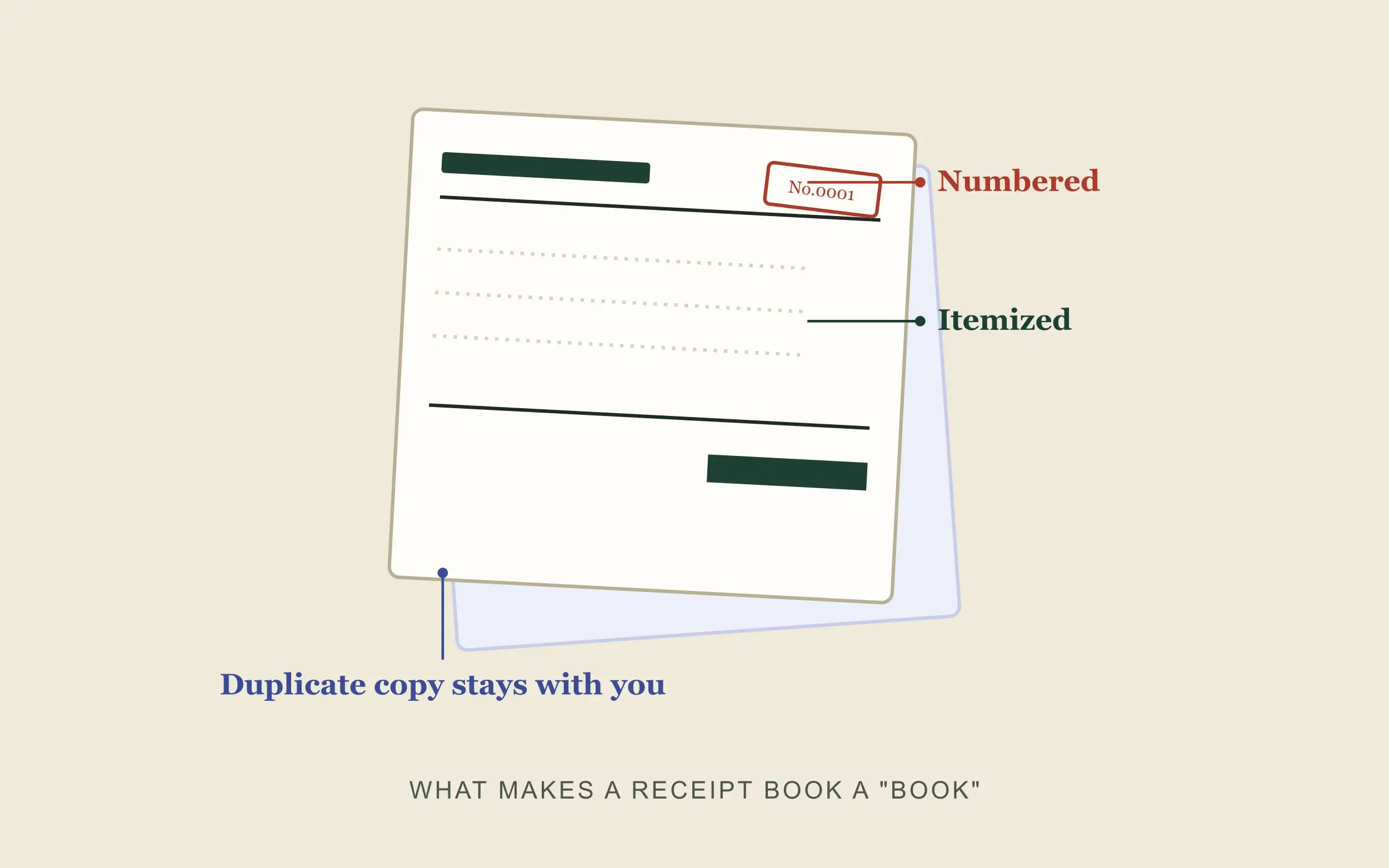
- Numbering is the pointSequential numbers prove no receipt was skipped, duplicated or quietly removed.
- Keep a copy of every slipPrint two of each page (one for the customer, one for you) or photograph each receipt you hand out.
- Any format is fine for taxThe IRS cares that records clearly show income and expenses, not whether they’re paper or digital.
- Need a typed receipt?For a finished, itemized receipt instead of a blank form, use the receipt generator.
What Is a Receipt Book?
A receipt book is a pad of pre-numbered slips people use to record a sale or payment by hand. Most versions are carbonless, which means each page carries a built-in copy underneath it. You write once, and the pressure transfers your writing to a second sheet automatically. The top copy goes to the customer. The bottom stays in the book as your own record.
Small retailers, landlords, repair shops, and cash-based side businesses have relied on receipt books for decades, mostly because they need no power, no software, and no login. You write, you tear the page out, and you’re done.
That convenience comes with a real limitation, though. A paper book can get lost, soak through in the rain, or simply run out at the worst possible moment, and it leaves you with no backup copy anywhere else. If you want that same function — a numbered, dated, itemized proof of payment — without depending on a physical pad, a digital receipt book gives you exactly that.
Why People Actually Search “Receipt Book” — Two Different Needs
Not everyone typing this phrase wants the same thing, and it’s worth being upfront about that.
Some people want to buy a physical pad today, often from a store nearby, because they’re used to writing receipts by hand and just need a refill.
Others are asking a different question entirely: how do I create something that looks and functions like a receipt book without leaving the house? Maybe they’re starting a small business and haven’t ordered pre-numbered forms yet. Maybe they lost their book and need to write a receipt right now for a customer standing in front of them. Maybe they’d simply rather keep digital records than let a paper trail pile up in a drawer.
If that second description sounds like you, keep reading — the rest of this guide walks you through exactly how to do it.
How to Make Your Own Receipt Book
You don’t need to order carbonless paper or wait on a shipment. Here’s the actual process:
- Decide what type of receipt you need. Retail sales, rent receipts, service invoices, and simple payment receipts each need slightly different fields — a rent receipt needs a tenant name and payment period, while a retail sale needs itemized line items and tax.
- Choose or build a template. A good template lets you add your business name, logo, and address once, then reuse the same layout for every receipt you create afterward.
- Set up sequential numbering. Most people skip this step, but it’s the one that actually matters for recordkeeping — give every receipt its own number so nothing gets duplicated or skipped.
- Fill in the transaction details. Add the date, item or service description, amount, tax if it applies, payment method, and a running total.
- Generate it, then print or save it. Print a physical copy for the customer on the spot, or send a PDF by email — both count as valid receipts.
- Keep your own copy. Whether that means a folder of downloaded PDFs or a printed duplicate, the whole point of a “book” is that your copies stay together and in order.
That covers the whole workflow a paper book makes you do by hand, minus running out of pages. To print blank numbered slips, use the receipt book maker at the top of this page; for a finished, itemized receipt, use the receipt generator.
What Should Actually Be on a Receipt
Whether it’s paper or digital, a receipt that actually holds up — for your own records, for a customer’s return request, or for tax purposes — needs a specific set of fields:
- Business name and contact information
- Date of the transaction
- A receipt or invoice number
- An itemized list of goods or services, not just a lump sum
- Price per item, subtotal, tax, and total
- Payment method
- A signature line, if you want one — common on rent or service receipts
Plenty of quick, informal receipts skip the itemization and the sequential number, but both are worth the extra ten seconds. Itemization protects you if a customer disputes a charge later. Sequential numbering is what turns a receipt into part of a “book” instead of a stack of loose slips — it proves that nothing went missing or got duplicated.
Paper Receipt Book vs. Digital Receipt Book
Neither format wins in every situation. Here’s the honest comparison.
If you’re working a farmer’s market stall with no signal and cash in hand, a paper pad still wins on pure simplicity. If you’re running a small service business and want records you can pull up again in six months, digital wins on nearly every other measure.
Common Mistakes People Make With Receipt Books
- Skipping the receipt number. Without one, you have no way to prove nobody altered or reused that receipt later.
- Not keeping a copy. A receipt book without a duplicate isn’t really a book — it’s just a one-time slip.
- Lumping items together instead of itemizing them. This creates problems the moment a customer questions a specific charge.
- Losing the physical book entirely. Once it’s gone, no copy exists anywhere else.
- Using inconsistent formatting from one receipt to the next. It looks unprofessional to customers and makes your own bookkeeping harder at tax time.
Do You Need a Receipt Book for Tax Purposes?
No single law requires a business to use one specific type of receipt book. According to the IRS’s own guidance on recordkeeping, you can use any system that clearly shows your income and expenses — the requirement centers on what the records show, not the specific format they take.
What actually matters is that you keep supporting documents for every transaction, and that includes receipts, sales slips, and invoices, whether they’re handwritten, printed, or digital. The IRS treats electronic records the same as paper ones for tax purposes, as long as you hold onto them for as long as they stay relevant to your filings, a point covered in more detail in IRS Publication 583.
Can You Print a Receipt Book at Home?
Yes. A printable receipt book is really just a digital template you generate, then print on regular paper or cardstock instead of ordering a pre-made carbonless pad. Most people set the copies option to print two versions of each receipt — one for the customer and one to keep — then punch or staple their own copies together in order afterward, which recreates the “book” format without needing any special paper stock.
Receipt book: questions & answers
What is a receipt book?
A pad of numbered slips, usually carbonless, for recording a sale or payment by hand. The top copy goes to the customer and a duplicate stays in the book as your record.
How do I print a receipt book at home?
Add your business details above, choose how many receipts per page and the starting number, then download the PDF. Print two copies of each page (one to hand out and one to keep), cut along the dashed lines and staple your copies in order.
Do I need a receipt book for small business taxes?
Not a specific format. The IRS asks you to keep records that clearly show your income and expenses, including receipts, whether they’re on paper or stored electronically.
Where can I buy a receipt book?
Office-supply stores and many discount and dollar stores sell carbonless receipt books, though stock varies by location. Printing your own costs nothing and lets you add your business name and numbering.
Should receipt numbers be sequential?
Yes. Sequential numbers make it easy to spot a missing or duplicated receipt and to match each slip to your bookkeeping.
Can I fill in the receipts on screen instead?
For a typed receipt with items, tax and totals, use the receipt generator or the payment receipt generator. The receipt book prints blank forms for handwriting.
More free generators
Every tool works the same way: fill in the form, check the preview, download.
Ready when you are
Your receipt is one form away: free, private and watermark-free.